





Trusted by 1000+ people
around the globe

Bulk Add Contacts to WhatsApp Groups in Seconds

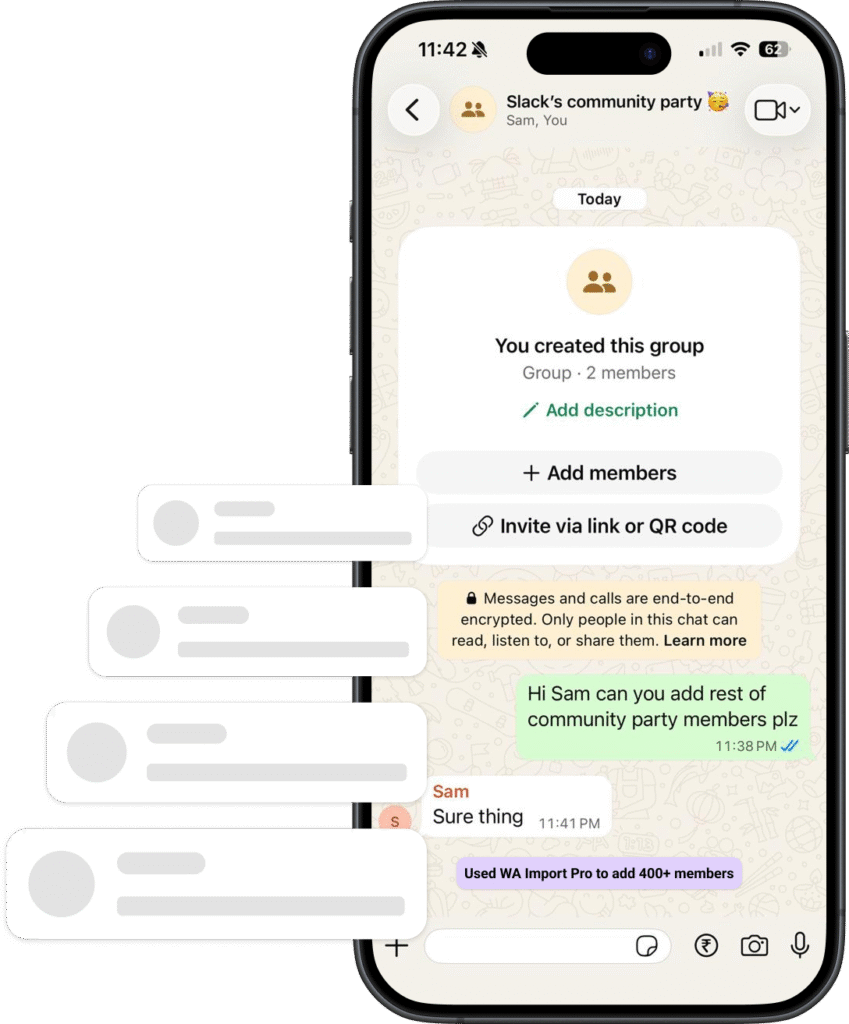
Stop adding WhatsApp group members one by one. Extension helps you import hundreds of contacts into WhatsApp groups directly from WhatsApp Web with just a few clicks.

Features That Make Us Better

Send Bulk Messages, Engage with More Leads and win the deals

Install & setup

Simple installation and setup process.

Bulk import

Bulk add contacts to whatsapp groups.

Excel uploads

Import contacts with excel sheets.

What People Say About Us

Trusted by 100+ Businesses Across Globe

Jp Travels

5.0

Tourism

Really nice extension, i was amazed it was out there to add bulk members to whatsapp groups. 

USAMA Malik

5.0

Marketing Solutions

I found to be quite easy to use. Not much hassle just plug play kinda thing. Recommended for bulk importing contacts to group

Hugo

5.0

Digital Agency

Perfect, this solution is very good for my business

Jainam Mehta

Business owner
Nice Extension To Add Whatsapp Bulk Numbers & Very Safe

Why Use WA Imports?

Why Choose Us Over Others?

Unlike other tools, our software is optimized for stability, safety, long-term performance and privacy first. No unnecessary bloat — just results that help you when you need one, with our simple and intuitive interface.

‼️We don’t store your contacts on our servers‼️

Downloads on Webstore
0 +
Happy users
0 +
Cost per contact
$ 1000

Features that you need

Frequently asked questions (FAQ's)

Yes. The extension runs locally in your browser and does not store your data externally.

Using WA Imports is simple:

  1. Install the Chrome extension
  2. Open WhatsApp Web
  3. Upload your Excel or contact file
  4. Select the WhatsApp group
  5. Click “Import” to bulk add contacts

The process takes only a few clicks and saves hours of manual work.

Yes. WA Imports works directly inside WhatsApp Web through your browser.

Yes. The extension is designed for bulk importing large contact lists into WhatsApp groups efficiently.

Adding users directly to WhatsApp groups gives better success rates for onboarding members quickly. In many cases, users have privacy settings enabled that prevent them from being automatically added to Communities. This can cause invitation failures and slow down group management.

With direct group importing, admins can manage members more efficiently and reduce failed additions.

Yes, WhatsApp may temporarily restrict or ban accounts if the platform detects excessive automation, spam-like behavior, or violations of WhatsApp policies.

To reduce risk:

  • Avoid adding too many users too quickly
  • Only add users who expect communication
  • Use verified and active WhatsApp accounts
  • Follow WhatsApp’s Terms of Service
  • Avoid spam or unsolicited messaging

WA Imports is designed as a productivity tool, but users should always use it responsibly.

WA Imports supports Excel files containing phone numbers with country codes along with header as Phone. Proper formatting helps ensure successful imports.

Absolutely. WA Imports is widely useful for:

  • Marketing campaigns
  • Customer support groups
  • Event management
  • Student communities
  • Agency communication
  • Business updates

No. WA Imports is beginner-friendly and designed with a simple workflow that anyone can use.

The extension works locally within your browser environment and is designed for privacy-focused usage. Always review permissions and use trusted contact data responsibly.

Manual WhatsApp group management is slow, repetitive, and inefficient. WA Imports helps automate the process, reduce errors, and improve productivity when handling large groups.

Start Managing WhatsApp Groups Faster

Save time and simplify WhatsApp group management with bulk contact importing.

*Please avoid using this tool to spam users, as your WhatsApp number can still be banned. While the tool is designed to reduce the risk of number bans, it does not eliminate it entirely. This tool is intended to simplify bulk adding contacts to group – not for spamming.