Many organizations maintain contact databases in Excel spreadsheets. Whether you’re managing employees, event attendees, housing society residents, students, volunteers, or customers, Excel remains one of the most common ways to store large contact lists.
The challenge begins when those contacts need to be added to WhatsApp groups.
WhatsApp is one of the most widely used communication platforms in the world, but it does not provide a built-in option to directly import Excel files into groups. As a result, administrators often spend hours manually adding contacts one by one.
This guide explains how Excel contact imports work, common mistakes to avoid, and how organizations can efficiently manage large WhatsApp groups.
Why People Store Contacts in Excel
Excel is the default choice for managing large contact databases because it allows easy organization and filtering.
Common examples include:
- Employee databases
- Housing society resident records
- Event registration lists
- Customer databases
- Student enrollment records
- Volunteer contact lists
- Vendor directories
A single spreadsheet may contain hundreds or even thousands of contacts.
When communication needs arise, admins frequently need to move those contacts into WhatsApp groups.

The Problem with Manual Contact Addition
Suppose you have:
- 150 new employees
- 300 conference attendees
- 500 apartment residents
- 200 training participants
Using WhatsApp’s native interface means searching and adding contacts individually.
For large organizations, this creates several problems:
Time Consumption
Adding hundreds of contacts manually can take hours.
Human Errors
Common mistakes include:
- Missing contacts
- Adding incorrect numbers
- Duplicate additions
Administrative Burden
The larger the group becomes, the harder it becomes to manage.
Preparing Your Excel File Correctly
Before importing contacts into any workflow, your spreadsheet should be properly organized.
A clean contact list reduces errors and improves success rates.
Recommended Columns
| Name | Phone Number |
|---|---|
| John Smith | +14155551234 |
| Sarah Lee | +447700900123 |
Additional columns may include:
- Department
- Company
- Building Number
- Event Category
- Membership Type
However, phone numbers are the most critical field.
Use International Country Codes
One of the most common mistakes is missing country codes.
Correct examples:
- +1 4155551234
- +44 7700900123
- +91 9876543210
Incorrect examples:
- 4155551234
- 9876543210
Country codes help identify contacts accurately.

Cleaning Your Contact List
Before using your spreadsheet, remove:
Duplicate Entries
Duplicates create confusion and unnecessary administration.
Inactive Numbers
Old or unused numbers may not be registered on WhatsApp.
Formatting Errors
Standardize:
- Country codes
- Number lengths
- Column structures
A clean database leads to fewer import issues.
Common Use Cases for Excel Contact Imports
Employee Onboarding
Many HR departments maintain employee records in Excel.
When new employees join:
- Announcement groups
- Department groups
- Team communication groups
must be updated.
Housing Societies
Resident welfare associations often keep records in spreadsheets.
Examples:
- Resident directories
- Tenant databases
- Emergency contact records
When new residents move in, administrators need an efficient way to add them to communication groups.
Event Management
Event organizers typically manage registrations in Excel.
Examples:
- Conferences
- Workshops
- Training sessions
- Networking events
Adding attendees manually becomes impractical for large events.
Educational Institutions
Schools and coaching centers frequently maintain student records in spreadsheets.
Examples include:
- Parent groups
- Class groups
- Faculty communication groups
Managing these manually can become overwhelming.
Why WhatsApp Doesn’t Support Native Excel Imports
Many users expect WhatsApp to provide an upload button for spreadsheets.
However, WhatsApp focuses primarily on messaging and communication rather than large-scale contact administration.
As a result:
- No native Excel uploader exists
- No CSV import system exists
- No bulk contact import feature exists
Administrators must rely on alternative workflows.

Challenges When Importing Large Contact Lists
Privacy Restrictions
Some users restrict who can add them to groups.
This may prevent successful additions.
Incorrect Numbers
Even one incorrect digit can make a contact unreachable.
Group Structure Problems
Organizations often place too many members into a single group.
A better approach may be creating:
- Department groups
- Building groups
- Event tracks
- Team-specific groups
Contact Ownership Issues
If contacts are not properly organized, different administrators may maintain different versions of the same database.
This leads to inconsistencies.
Best Practices for Managing Large Contact Imports
Keep a Master Spreadsheet
Maintain one authoritative contact list.
Avoid multiple versions.
Update Regularly
Remove:
- Former employees
- Expired memberships
- Old event registrations
A current database improves communication quality.
Segment Your Contacts
Instead of one giant group:
Create separate groups for:
- Departments
- Locations
- Projects
- Buildings
- Events
This improves engagement.
Verify Before Importing
Always review:
- Country codes
- Number formatting
- Duplicate entries
before beginning any import process.

How Organizations Handle Excel-Based WhatsApp Group Management
Organizations that regularly work with spreadsheets often look for ways to simplify the transition from Excel records to WhatsApp communication.
Instead of manually processing every contact, they adopt workflows that reduce repetitive administration and improve efficiency.
For businesses, agencies, housing societies, educational institutions, and event organizers, this can significantly reduce management overhead.
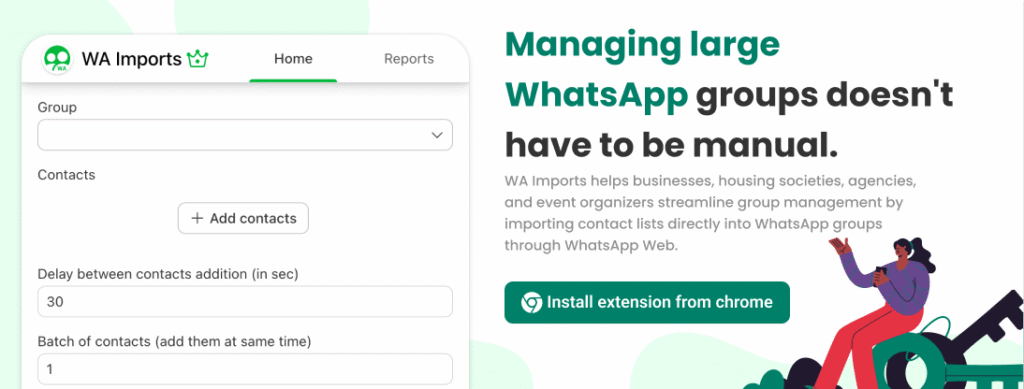
Tools such as WA Imports are specifically designed to help administrators work with contact lists stored in Excel and manage WhatsApp groups more effectively.
Real-World Example
Imagine a housing society with:
- 15 residential towers
- 700 apartments
- 1,500 residents
Every new resident needs access to:
- Building announcements
- Maintenance updates
- Emergency notifications
Manually adding each contact is extremely inefficient.
A structured Excel-based workflow helps administrators maintain organized communication channels.
The same applies to:
- Corporate HR teams
- Training companies
- Universities
- Event organizers
Internal Resources
Related guides:
- /blog/how-to-add-multiple-contacts-to-whatsapp-group/
- /blog/bulk-add-contacts-to-whatsapp-groups/
- /blog/whatsapp-groups-vs-communities/
Future of WhatsApp Group Administration
As organizations continue growing, efficient group management becomes increasingly important.
The future will likely focus on:
- Better contact organization
- Improved administrative controls
- Automated workflows
- Enhanced communication management
Organizations that establish structured contact management processes today will save significant administrative effort in the future.
Conclusion
Excel remains one of the most common tools for storing large contact databases.
Whether you’re managing employees, residents, attendees, customers, students, or volunteers, spreadsheets provide an efficient way to organize information.
However, moving those contacts into WhatsApp groups presents unique challenges.
By maintaining clean spreadsheets, using proper formatting, organizing contacts strategically, and implementing efficient workflows, administrators can save time while improving communication quality.
The larger your organization becomes, the more valuable structured contact management becomes.
Frequently Asked Questions
Can I directly upload an Excel file to WhatsApp?
No. WhatsApp does not currently provide a built-in feature for uploading Excel files directly into groups.
What is the best format for phone numbers in Excel?
Phone numbers should include international country codes and use a consistent format throughout the spreadsheet.
Why are some contacts not being added?
Possible reasons include:
- Incorrect numbers
- Privacy restrictions
- Contacts not using WhatsApp
Can businesses manage employee groups using Excel contact lists?
Yes. Many HR teams maintain employee databases in spreadsheets and use those records for communication workflows.
Is Excel useful for managing housing society residents?
Absolutely. Housing societies commonly use spreadsheets to manage resident information and communication groups.
How can event organizers manage attendee contacts efficiently?
Most event organizers maintain attendee records in spreadsheets and use structured workflows to communicate with participants before and during events.